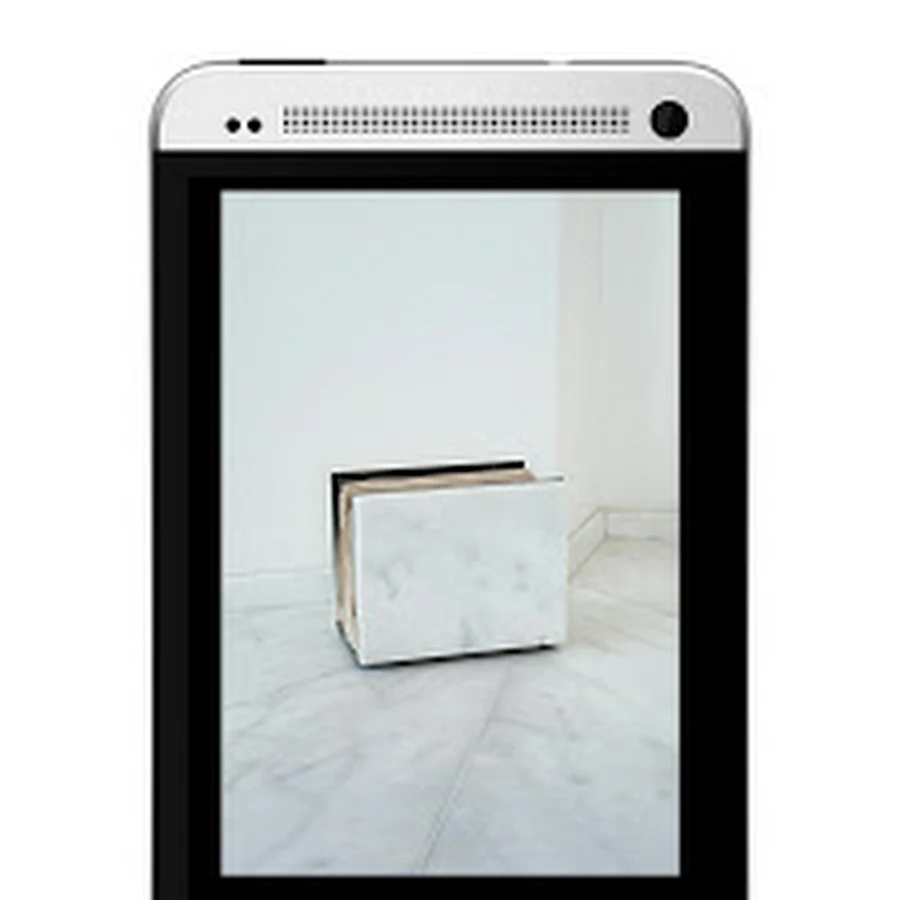
Focus is an attractive new app built by XDA members Liam Spradlin
and Francisco Franco, the latter being well-known in the forums for his
kernels. Focus aims to completely replace your gallery app with some
neat tricks, but at a potentially risky time considering that Google has
thrown its weight into the photo-organization arena. This is a first
draft of the app of course, but we’ll pitch it against its main rivals
here, namely the popular QuickPic and the aforementioned Google Photos.
The first thing you’ll notice after
installing Focus is its stripped back interface; this is a good thing on
the whole, keeping functions clear and navigation options obvious.
There’s a very short learning curve when using this app, and the
first-use pop ups are informative but not annoying, another good
balancing act to pull off. The UI definitely takes influence from
Material Design as the forum post mentions, but unfortunately lacks
depth, falling a little short of the ‘study of paper and ink’ that
Google encourages. There are no heightened buttons for example, with
flattened icons being a general theme, and animations being a little
inconsistent. For clarity, a user might expect pictures to leap forward
when touched for example, where in Focus the page flits to the right to
provide you with the full-screen image, which is slightly
counter-intuitive, especially considering that swiping at that point
scrolls between pictures and doesn’t return you to the preview screen.
Pictures are arranged initially under headings derived from the
folders where they’re stored and the date and time that they were taken.
You can either swipe horizontally through your photos straight from
that view, or choose just a folder to fill up your screen in order to
browse more easily, which gives you quick access or good browsing
functionality depending on what you need. Again, none of this is
difficult to work out on first use, the clean appearance and hints help
hugely. Holding down on a photo naturally begins the multi-selection
dialogue, where you’re given options to either delete or tag your chosen
photos (which we’ll come on to later). The main menu slides in from the
left on the home screen much as you’d expect, and at the top right-hand
corner you’re presented with quick access to the camera itself.
Google Photos has a few extra tricks up its sleeve when it comes to
navigation however, with an intuitive pinch-to-zoom function available
when viewing all of your photos, which filters between time-frames
and allows you to jump from daily to yearly summaries very rapidly.
Photos’ multi-select can also be triggered by a nifty press-hold-drag
gesture, where after long-pressing on a chosen picture, the user can
drag their finger across the screen to select every photo between the
gesture’s start and end point. QuickPic is a little left out here,
providing only folders in a fixed lay out, but on the other hand,
animations are handled in the proper fashion, describing exactly where
the user is within the app with simple subtlety. A scroll bar is also
offered, which is necessary considering the lack of any pinch-to-zoom
gesture to edit picture preview size.
Focus tries to offer some added features however, most of which are
genuinely useful. Front and center is a method of adding personalized
tags to your photos, which can be a great help if you’re looking to try
to organize a large collection outside of the normal methods of location
and time-stamp. A number of tags are present to begin with, essentially
encouraging you to arrange your shots by genre, like in the screenshot
below. The option is also given to add your own custom tags, like
‘Auntie Mary’s birthday’ or ‘Sunny Beach Time’, giving you an album
fully tailored to your needs. This is definitely a feature that could
come in handy, although given the size of many users’ photo libraries it
could take significant work to try to tackle this kind of organization,
so perhaps it would be most appreciated on new phones (or fresh ROMs).
It should be pointed out that there’s no indication of whether this tag
is saved to the file itself, and therefore viewable outside of the app.
Another advertised advantage is the ability to lock a picture to your
screen with a PIN, similar to screen pinning for apps on Lollipop. This
allows the user to pick a picture, type in a PIN, and then hand their
mobile to a friend, safe in the knowledge that their swiping left or
right won’t grant access to any other pictures until the PIN is
re-entered. This is unique as far as we’re aware, and makes a lot of
sense, although the PIN does need to be re-entered each time, so a
global PIN set from within the main menu might have been a slightly
better implementation. Personally, I can’t honestly say that I’d use the
functionality much, if at all, but for those with prank-prone buddies,
or who like to show off their libraries at parties, this could be a god
send.
There are a couple of other more minor options too, like the ability
to switch between a dark and light theme, and an exquisitely specific
‘details’ screen, that can display information ranging from the camera
model a photograph was taken on, to the shutter-speed and focal-length,
and really any other piece of metadata that the picture file contains.
Google Photos integration is promised in the upcoming v1.1 update,
however it’s not clear yet quite what that entails and how deep
the functionality would go. One thing that is missing in this initial
version is the ability to link to and browse through any online
galleries like Facebook or Picasa, which does stick out when compared to
Photos or QuickPic. Cloud storage is becoming increasingly popular,
and users are now sharing their pictures across more services than ever
before, so hopefully this is included later down the line.
The app is available for free on the Play Store, however, almost all
of the features mentioned above are part of the ‘Premium’ package,
available through an In-App Purchase. At $3.79 the upgrade won’t break
the bank, but it will be up to the individual to justify this expense,
as without this investment the app doesn’t offer much beyond a
nice-looking but extremely basic experience. Developers have to make
money of course, and as a plus, IAPs mean that there aren’t any
advertisements to break up the UI, but when looking at the bountiful and
free alternatives available out there, some users may not agree with
the paid model’s benefits.
One important point to consider is Focus’s performance. We noticed
some sluggish scrolling on mid-range devices, and assumed it was purely a
sign of slow storage read speeds, but after testing on modern high-end
devices, it was clear that this wasn’t the whole story. Looking at the
examples of apps mentioned earlier, we’ve taken shots of the GPU
activity whilst scrolling between pictures at a regular pace. Visual GPU
Rendering can quickly give you a representation of how much time it
takes to render the frames of a UI window relative to
Google’s 16-ms-per-frame benchmark. If you’re not familiar with the type
of data below, it can be summarized by focusing on the horizontal green
line in particular – every time the colored bars jump above the green
line the user experiences a bit of lag. We tried the test a few times on
the available devices, and the below screenshots are indicative of the
kind of results we saw. This isn’t a deal breaker by any stretch of the
imagination, but it is noticeable and it ruins the polished feel of the
app, especially when you’re used to something like Photos on a high-end
handset.
-
- GPU performance in Photos
-
- GPU performance in QuickPic
-
- GPU performance in Focus
That wraps it up for this small review of Focus. Despite the negative
points described above, the app comes across quite well, especially if
you’ve made the decision to purchase the upgrades. Its strongest point
on balance is its UI, which is simple and doesn’t waste the user’s time
and patience, and with a bit of work could be as good as (if not better
than) Google’s own offering. That really is the key here – this is a
first release for Focus minus the testing builds, and that is eminently
tangible throughout the experience. Once navigational consistency is
provided with visual clues, the performance issues are ironed out, and a
few more features are available, this will become a compelling
competitor, and will deserve to advance quickly to the top of the Play
Store rankings. At the moment the developers should be proud of their
work, as it’s a great start, but there will be some work to do if Focus
is to be considered on its own merits.
You can pick up Focus for free on
Google Play, or head straight over to the forum to sideload the APK and leave your own feedback for the developers.